|
Sentry Page Protection
Simple Macro [3-5]
Referencing a Macro Variable In this section, we will look at how to reference a macro variable properly. As seen in previous sections, we can reference a macro variable by putting an ampersand in front of the variable. Example %let var1 = 123; %put The value of macro variable var1 is &var1; In this example, &VAR1 is the reference to the macro variable VAR1. It displays the value of the macro variable which is 123. 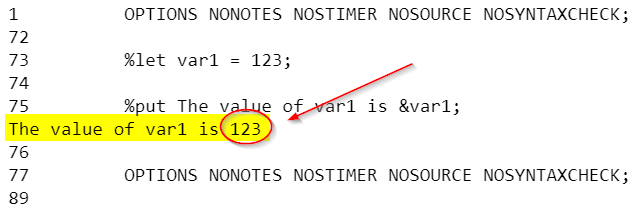
Referencing a Macro Variable Within Quotations When referencing a macro variable within quotations, you must use double quotes. Single quotes do not work. Let's look at an example. %let name = Alfred; data list; name_sin = '&name'; name_dou = "&name"; run; In this example, we defined the macro variable NAME as Alfred. We then define two variables that are intended to contain the name Alfred. 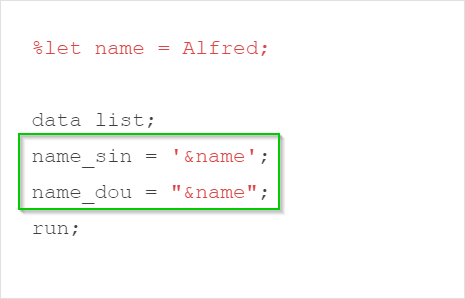
Please note that we used single quotes for the NAME_SIN variable and double quotes for the NAME_DOU variable: 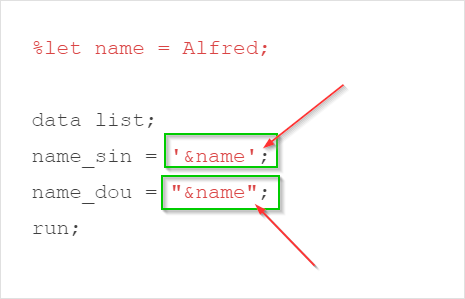
The macro variable reference (&name) was not resolved when placed within single quotes: 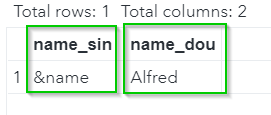
Exercise
The SASHelp.fish data set contains a list of 159 fishes and their weight, length and height. Write a SAS program to compute the mean and standard deviation of the weight of the fish for Whitefish. The value Whitefish should be dynamically assigned using a macro variable. Need some help?
HINT: SOLUTION: %let species = Whitefish; proc means data=sashelp.fish;
Fill out my online form.
|