Sentry Page Protection
Proc SQL II [14-17]
Updating Tables
In addition to inserting rows into the SAS tables, you can also update the data values in existing rows.
Let's look at an example.
Copy and run the code from the yellow box below:
Let's look at an example.
Copy and run the code from the yellow box below:
Moo Frites is a specialty frites restaurant located in Toronto, Ontario.
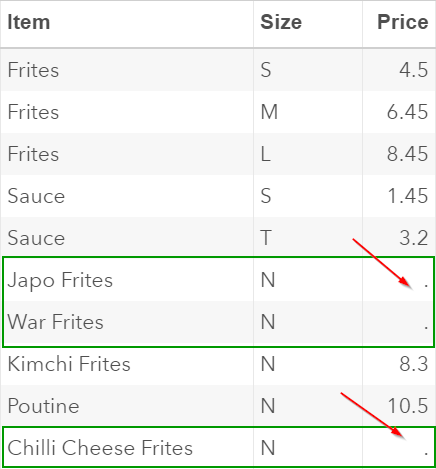
The MENU table contains the list of food items offered by Moo Frites.
Note: the prices for the small, medium and large Frites items are $4, $5.95 and $7.95, respectively.

The province of Ontario has decided to raise the minimum wage by $2.
This has significantly affected the profit margin of restaurant owners.
The owner of Moo Frites has decided to raise the price for the regular frites by $0.5.
Below is the Proc SQL step that adjusts the price in the MENU table:
Proc sql;
create table menu_new
as select * from menu;
update menu_new
set price = price+0.5
where item = "Frites";
quit;
create table menu_new
as select * from menu;
update menu_new
set price = price+0.5
where item = "Frites";
quit;
We will first copy the MENU table into the MENU_NEW table:
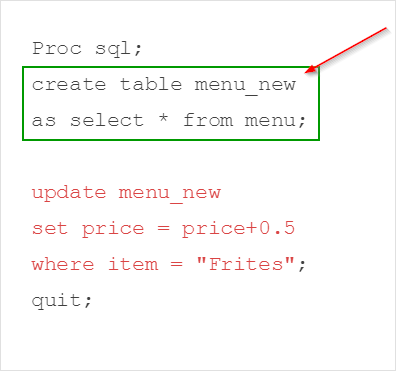
The UPDATE statement tells SAS to update the MENU_NEW table:

The SET clause updates the price by an increment of 0.5:
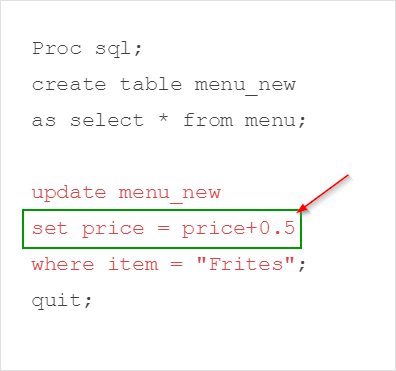
The WHERE clause limits the update to only the regular Frites item:
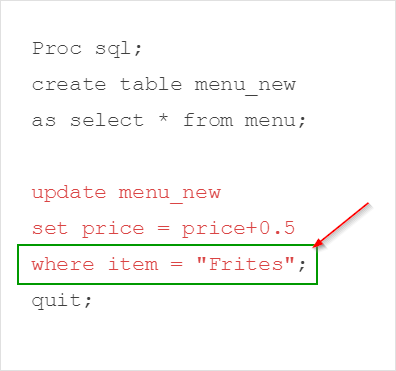
The prices on the MENU_NEW table are updated.
The prices for the regular Frites item went up by $0.5. The remaining items have not changed:
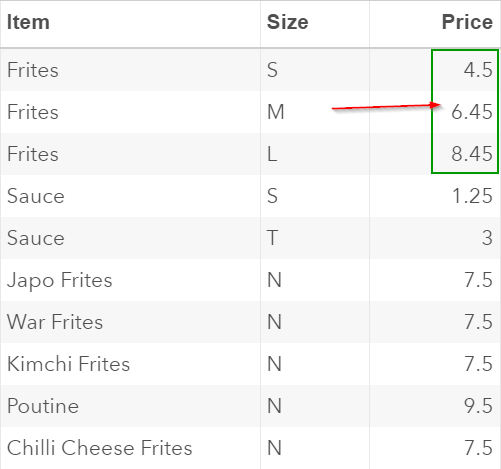
Let's look at another example.
The owner of Moo Frites has decided to also raise the price for the following items:
- Regular Frites: $0.5
- Sauce: $0.2
- Poutine: $1
- Kimchi Frites: $0.8
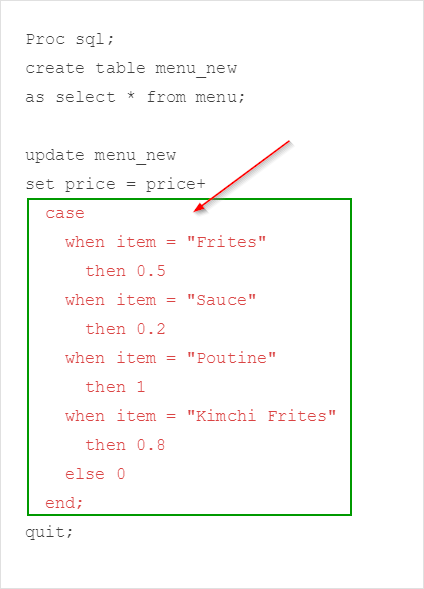
You can use the CASE expression to make all the price adjustments in the UPDATE statement.
Example
Proc sql;
create table menu_new
as select * from menu;
update menu_new
set price = price+
case
when item = "Frites"
then 0.5
when item = "Sauce"
then 0.2
when item = "Poutine"
then 1
when item = "Kimchi Frites"
then 0.8
else 0
end;
quit;
create table menu_new
as select * from menu;
update menu_new
set price = price+
case
when item = "Frites"
then 0.5
when item = "Sauce"
then 0.2
when item = "Poutine"
then 1
when item = "Kimchi Frites"
then 0.8
else 0
end;
quit;
The CASE expression allows you to specify the conditions on how the values are updated.
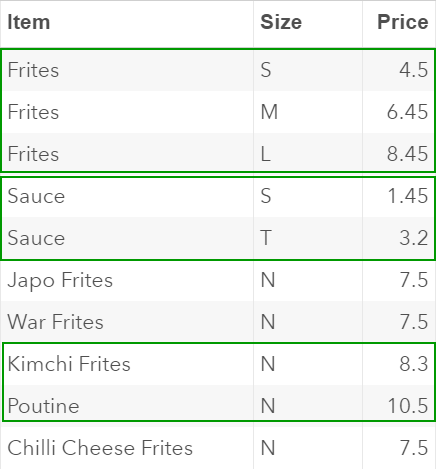
The item prices are now adjusted in the MENU_NEW table based on the conditions specified in the CASE expression:
IMPORTANT
It is highly recommended to include the ELSE clause when using the CASE expression:
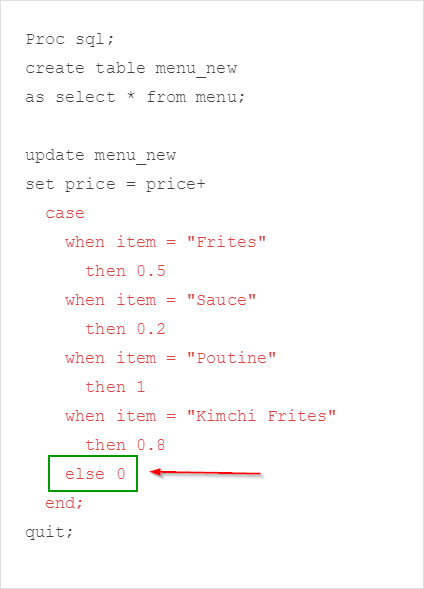
Without the ELSE clause, the values that are not defined in the CASE expression will all be set as missing.
Example
Proc sql;
create table menu_new
as select * from menu;
update menu_new
set price = price+
case
when item = "Frites"
then 0.5
when item = "Sauce"
then 0.2
when item = "Poutine"
then 1
when item = "Kimchi Frites"
then 0.8
end;
quit;
create table menu_new
as select * from menu;
update menu_new
set price = price+
case
when item = "Frites"
then 0.5
when item = "Sauce"
then 0.2
when item = "Poutine"
then 1
when item = "Kimchi Frites"
then 0.8
end;
quit;
In this example, the ELSE clause is removed:
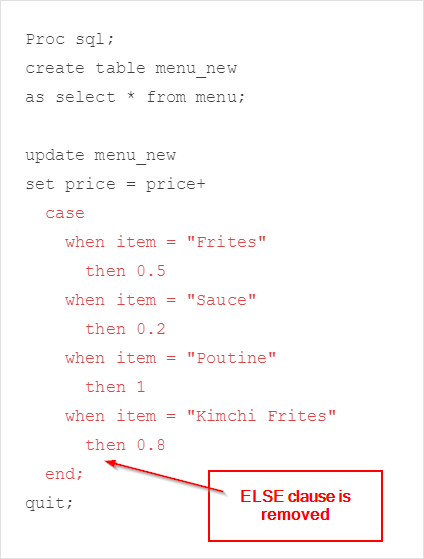
The prices for the items that are not included in the CASE expression are all set as missing:
Exercise
Write a Proc SQL step to raise the price on the Japo Frites and War Frites by $2.
Also, insert a new row that contains the following item:
Write a Proc SQL step to raise the price on the Japo Frites and War Frites by $2.
Also, insert a new row that contains the following item:
- ITEM: Pop Drink
- SIZE: N
- PRICE: $1.5
Need some help?
HINT:
You can use two separate statements to update the item prices and insert a new row into the table.
SOLUTION:
Proc sql;
create table menu_new
as select * from menu;
update menu_new
set price = price+
case
when item = "Frites"
then 0.5
when item = "Sauce"
then 0.2
when item = "Poutine"
then 1
when item = "Kimchi Frites"
then 0.8
when item in ("Japo Frites" "War Frites")
then 2
else 0
end;
insert into menu_new (item, size, price)
values ("Pop Drink", "N", 1.5);
quit;
Fill out my online form.