Sentry Page Protection
Proc Contents [2-3]
SAS Base Exam
SAS Base Exam
VARNUM
As shown in the previous session, the CONTENTS procedure prints the list of variables in the data set (3rd table).
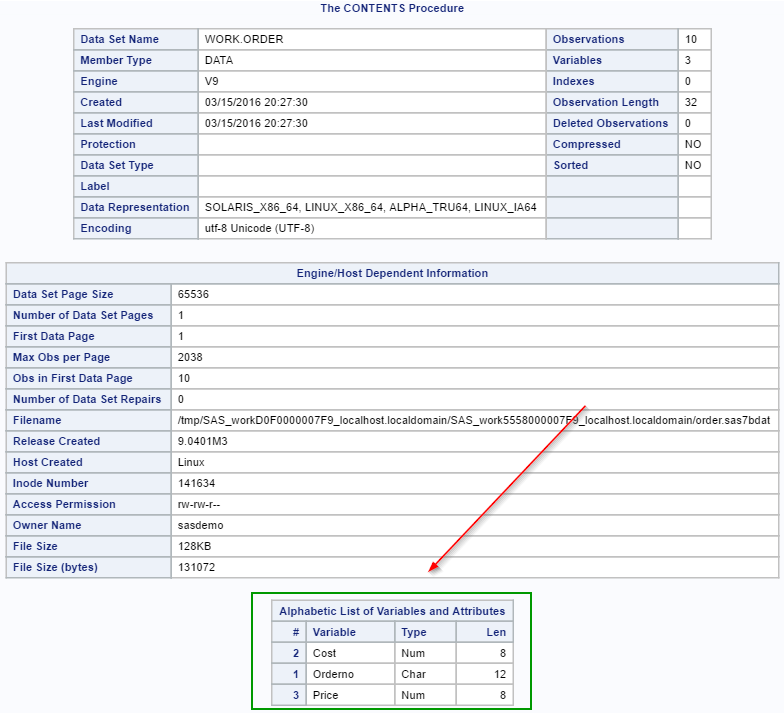
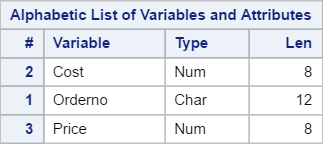
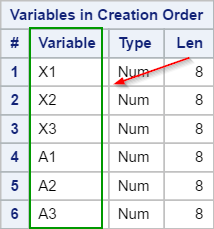
The VARNUM option changes the order of the variables listed in the table.
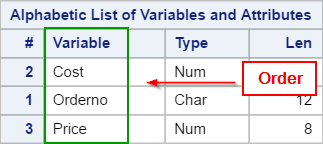
Let's take a look at an example.
Example
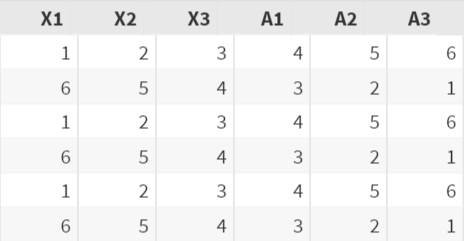
In the XYZ data set, there are 6 variables:
- X1
- X2
- X3
- A1
- A2
- A3
The first variable in the data set is X1, followed by X2, X3, A1, A2 and A3.
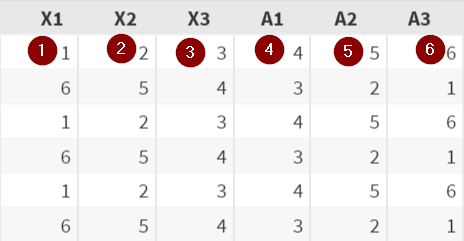
Now, let's run the CONTENTS procedure on the XYZ data set.
Proc Contents Data=XYZ;
Run;
Again, the third table shows the list of variables in the data set.
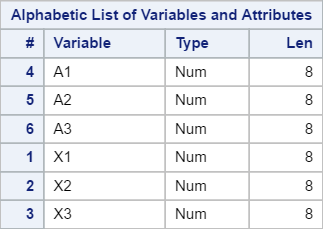
Please note that the variables are listed in alphabetical order.
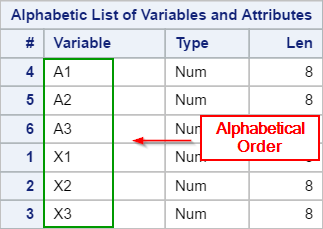
It is not listed in the order of the variables' position in the data set.
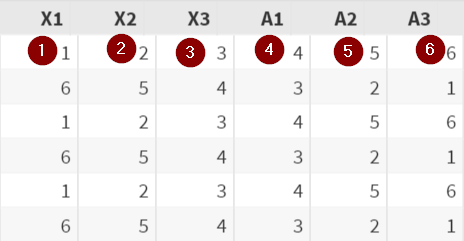
Sometimes, you might want to list the variables by their actual positions in the data set instead.
This can be done by adding the VARNUM option.
Example
Proc Contents Data=XYZ Varnum;
Run;

The VARNUM option is added to the CONTENTS procedure.
This will list the variables in the order of the variables' position in the data set.
Exercise
Run the CONTENTS procedure on the FISH data set from the SASHelp library.
Add the correct option so that the variables are listed in the order of their position in the data set.
Add the correct option so that the variables are listed in the order of their position in the data set.
Need some help?
Fill out my online form.